Description
- Peak Performance 4-Bay NAS: Unleash the power of the F4-424 Pro NAS storage, featuring a Core i3 8-core 8-thread CPU at 3.8GHz (turbo), integrated UHD GPU at 1.25GHz, 32GB DDR5 4800MHz memory (non-ECC, non-upgradable), dual 2.5G Ethernet ports, and dual M.2 NVMe slots for SSD caching. An ideal peak performance NAS storage solution for small and medium-sized business users.
- Enhanced Application Speed: The F4-424 Pro NAS enclosure, equipped with a robust CPU and DDR5 memory, achieves a remarkable 150% performance boost over its predecessors. Experience 100% faster application load times, a 45% increase in file and photo retrieval speed, a 55% improvement in database response speed, and a outstanding 65% faster PHP response for web pages. Elevate your workflow efficiency with seamless high-load performance.
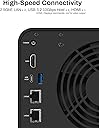
- High-Speed Connectivity: The F4-424 Pro NAS case features dual 2.5 GbE interfaces and can achieve a linear data transmission speed of 283 MB/s (tested with NAS dedicated HDDs 18TB x 4, RAID 0), Link Aggregation offers a network bandwidth up to 5 Gb, ideal for multi-user and high-concurrent file access. Featuring dual USB 3.2 10Gbps interfaces, data transfer between your NAS and external devices is made swift. The F4-424 Pro supports various RAID types, including RAID 0/1/5/6/10/JBOD/Single, and TRAID.
- Effortless M.2 SSD Installation: TerraMaster streamlines M.2 SSD handling in the F4-424 Pro NAS server with a side-sliding cover, allowing quick and simple SSD installation. The inclusion of hand-tightened screws ensures a hassle-free installation process. The F4-424 Pro adopts a tool-free hard disk tray, eliminating the need for additional tools during hard disk installation. Additionally, TerraMaster's innovative Push-Lock design automatically secures inserted hard disks, preventing accidental disconnection or offline issues.
- Rich Backup Solutions: Centralized Backup, Duple Backup, Snapshot, CloudSync, TFM Backup, and more enhance the security of your data with multiple backup applications. The F4-424 Pro 4 bay NAS adopts TerraMaster's new structure which besides incorporating additional shock-absorbing measures, TerraMaster’s engineers have designed numerous special sound-absorbing panels in the new structure to minimize noise.
TERRAMASTER F4-424 Pro NAS Storage - 4Bay Core i3 8-Core 8-Thread CPU, 32GB DDR5 RAM, 2.5GbE Port x 2, Network Attached Storage Peak Performance for Business (Diskless)
Review: Works with Unraid - I've seen lots of complaints about Terramaster's OS (both in desertcart reviews and on places like Reddit), so I was almost put off of buying this device. But in terms of the specs of the F4-424 Pro compared to its price, no other NAS offers a better bang for your buck. Luckily, I found a helpful YouTube video explaining how to install Unraid on a Terramaster NAS, so I picked this up as an upgrade to my QNAP TS-251+. Accessing the boot USB slot on the F4-424 Pro involved removing two screws from the back of the case, sliding off the side panel, then removing the four screws holding the motherboard in place. Doing so allowed me to swap the preinstalled flash drive for a flash drive with an install of Unraid. I will note, I had to buy a Sandisk Ultrafit to create the Unraid boot drive, as the clearance between the USB slot on the board and the NAS enclosure is quite small (even my Samsung FIT was a bit too tall). For Unraid, you'll want to get a USB drive of 32 GB or smaller. You can get a larger flash drive, but you'll need to format it down to 32 GB (from what I understand about Unraid). Also, Unraid's USB boot drive creation tool displayed my Sandisk drive as "incompatible", but using the manual Unraid boot disk creation process worked just fine. I've had the Terramaster F4-424 Pro running Unraid for almost a week now, and everything is working great. I've got three drives (a 12TB, an 8TB, and a 4TB), with another 12TB on the way. Unraid isn't the most user-friendly NAS solution for beginners, but videos from YouTubers like NASCompares (who hosts the tutorial on installing Unraid on a Terramaster device) and Spaceinvader One (an Unraid guru with tutorials on everything Unraid-related) have been extremely helpful and have allowed me to migrate my data from external flash drives and my existing NAS. They also have guides for setting up popular apps like PLEX, which is working great. I haven't yet allowed remote access to my PLEX server, but allowing my parents to stream PLEX in HD was another motivator for upgrading to a beefier NAS. In theory, the device specs suggest they should have no issues, but I'll report back after everything is completely set up. UPDATE: Remote Access to PLEX is working great. I had my parents and a friend both streaming 1080p remotely while I was streaming 4K HDR in the home, and the CPU was rarely getting over 50% load. So, can confirm that the F4-424 Pro is great for PLEX, both over your local network and remotely. So, if you're worried about the Terramaster OS (which, from what I've read, is continually getting better), just know that you can easily install Unraid. While Unraid might not be as easy out of the box as QNAP's or Synology's software, it only took me a few days to get the hang of things.
Review: Perfect so far - So far this NAS has been perfect for me. I upgraded the system with 8GB more DDR5 RAM to give me 16GB, added two Kingston Gen 4 SSD drives and popped in four 22TB WD Red Pro drives. It's been flawless, quiet, stable and very easy to set up. I'm using the latest version of TOS 6. Terramaster have also released TOS 7 for Beta testing so that will be even better when it's released to the public. I have it set up using their hybrid RAID configuration which was dead easy to do - just follow the steps. I'm not particularly techy, but it just isn't hard at all and if you get stuck just use chatgpt to give you the answer or watch one of NASCompares YouTube videos. Operationally, I cannot fault it. I mainly use it for hosting my Plex server to steam media over my network and remotely. I also just use it for cold storage too of files and photos. The native photo app it uses is also excellent for most users. The only thing which isn't as polished as Synology for example, is the android app for my phone - it looks a bit unpolished - but in fairness it's functional. I ditched Synology as none of their new products have built-in graphics processors on the CPU - or they have disabled them - which means if you're going to use it to steam/transcode movies visa Plex remotely, that just won't work anymore. The Terrmaster however, with its powerful iGPU, streams 4K movies remotely with zero issues. Overall, I'm really happy I made the move to this NAS.